Better websites for better-connected parishes.
Tell us about your parish in plain English and see a beautiful site in minutes. Keep it fresh by typing “move Sunday Mass to 9am.” You won’t need a webmaster.
Start from a design, or make it all yours.
These are real pages from the sample parish, not drawings. Point at one to scroll through it. Pick the one that feels like your parish, or have a look designed just for you. Either way, the colors, fonts and layout can all change later, just by asking.
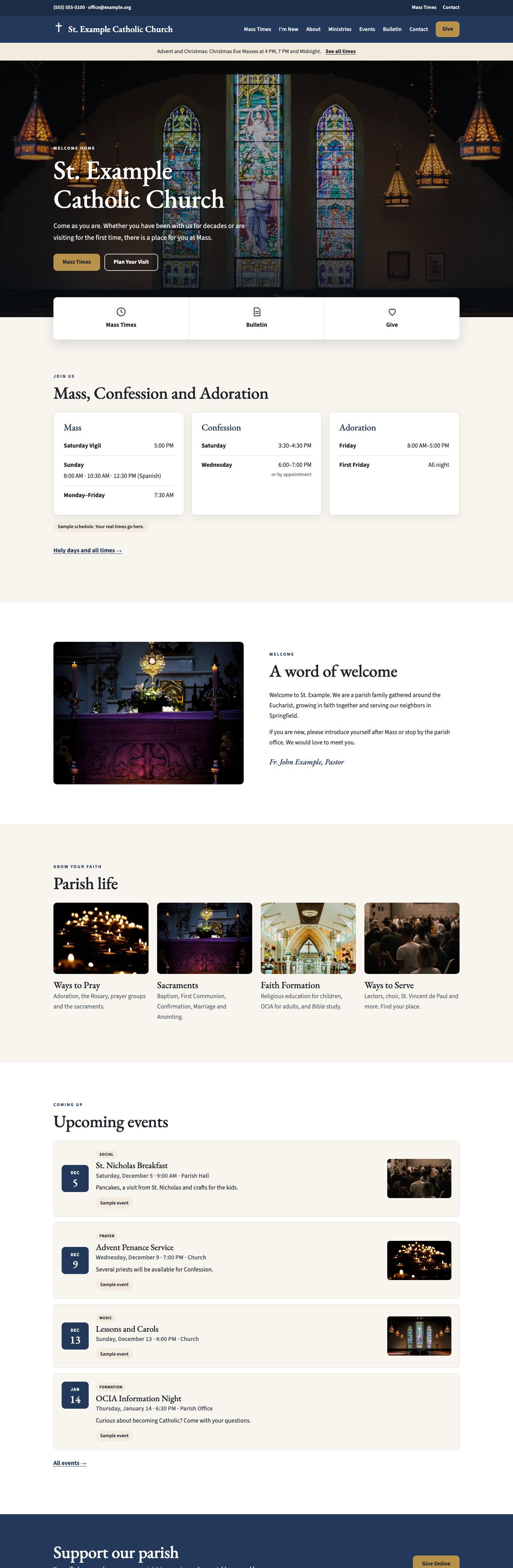
Classic
Warm and traditional, with a serif name and your church photo up front.
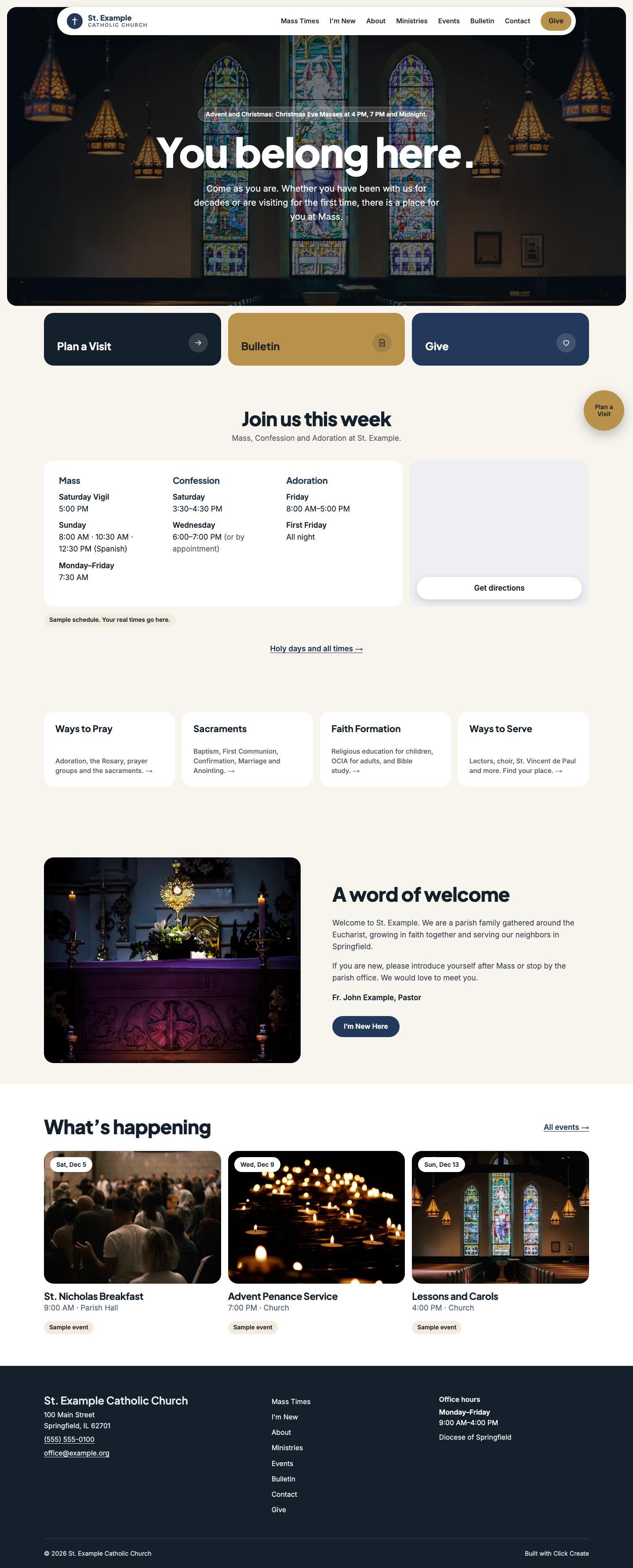
Modern
Bright and bold, with large shortcuts to Plan a Visit, the bulletin and giving.
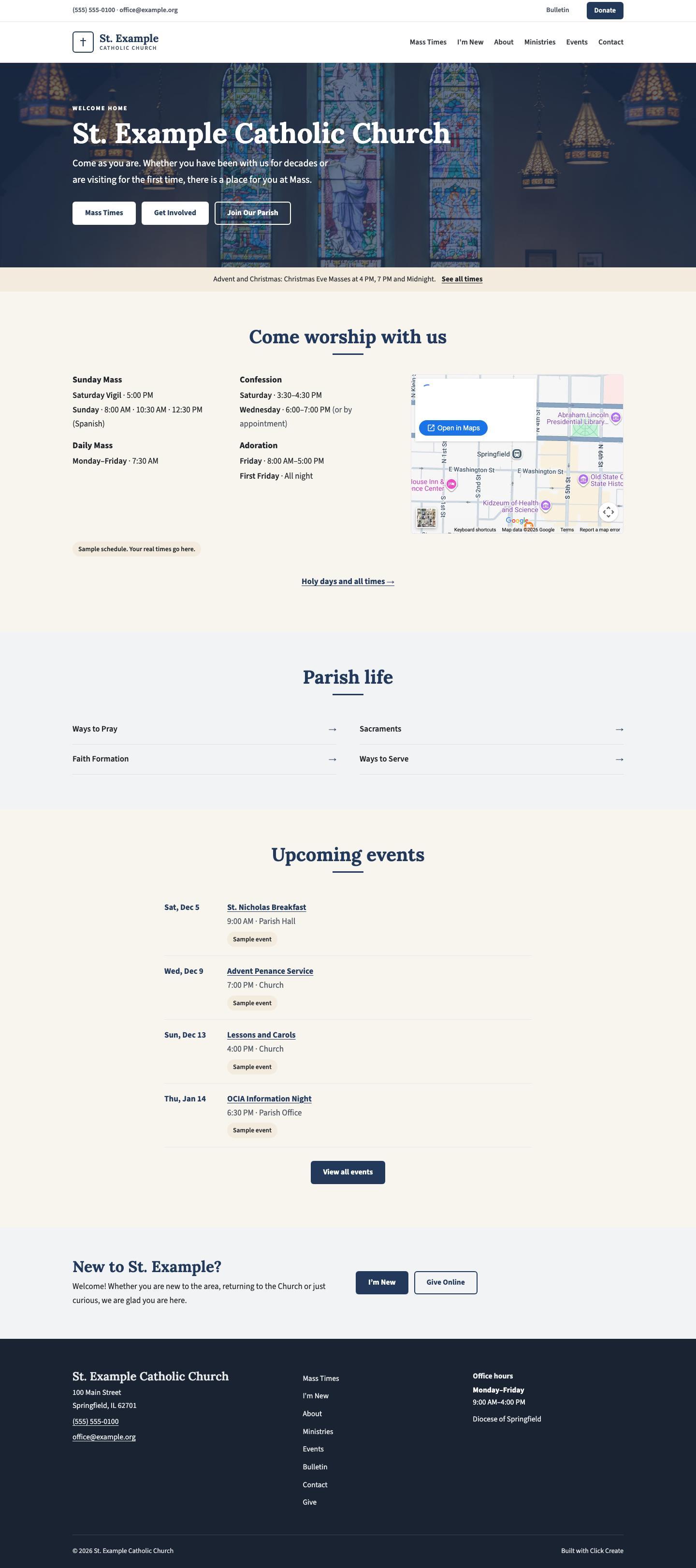
Simple
Plain and easy to read. Mass times sit right under the photo.
Or a look all your own
No template needed. When you sign up, pick one of these instead:
- Keep your current lookPaste your parish’s website. Your colors, logo and feel come over, along with your pages and photos, rebuilt to be fast and easy to update.
- Design from sites you likePaste up to three sites you love, or describe the look you want, and your site is designed from them for your parish.
Click around an example parish site →
Whichever look you pick, it comes with what a parish needs.
Mass and Confession times
Change a time by typing it. It updates everywhere it appears.
Events
Add the fish fry or the parish picnic in a sentence. Past events tidy themselves away.
Staff and ministries
Meet Father and the parish staff, plus a page for every ministry.
Livestreamed Mass
Add your YouTube or Facebook link and this week's Mass appears on your site.
Weekly bulletin
Your LPi or Discover Mass bulletin posts itself each week. Or upload a PDF.
Online giving
A clear Give button that links to the service you already use, like WeShare or Faith Direct.
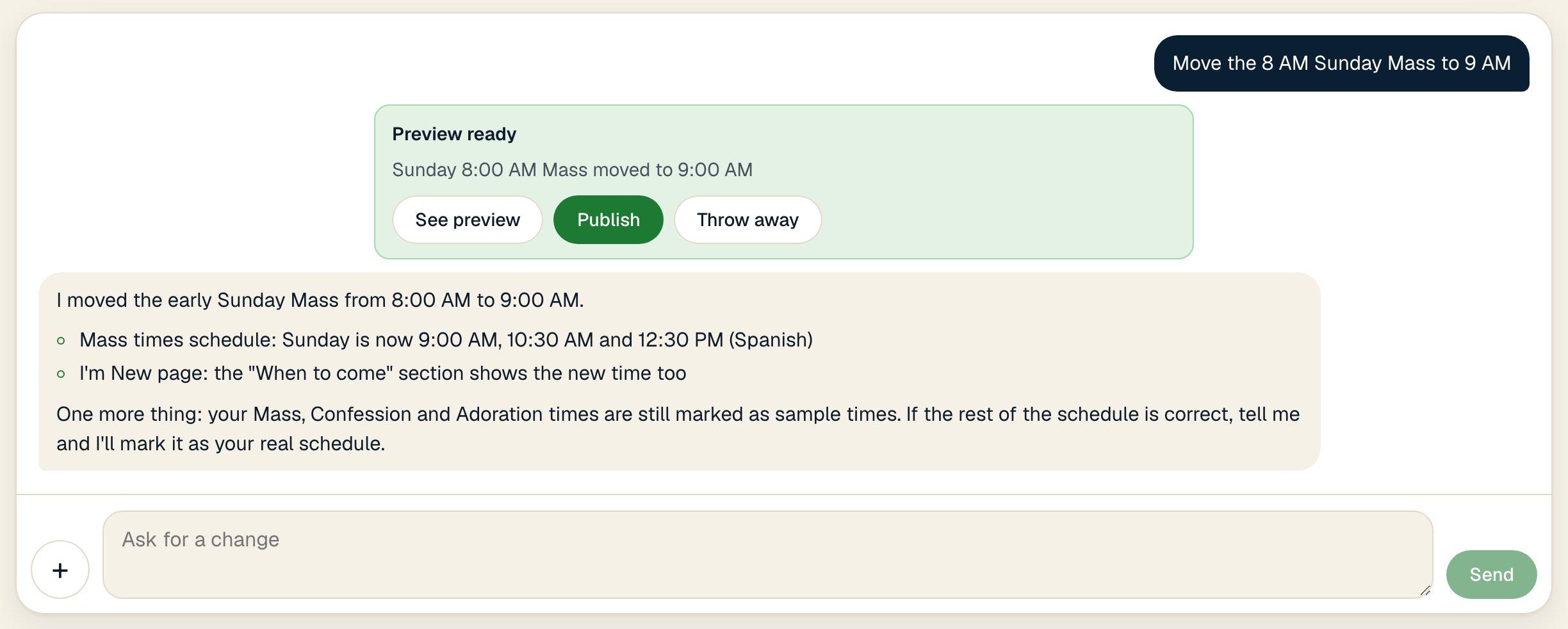
Ask for a change the way you’d text a friend.
Type what changed in your own words. Your assistant updates every page it touches and shows you a preview, usually in a minute or two.
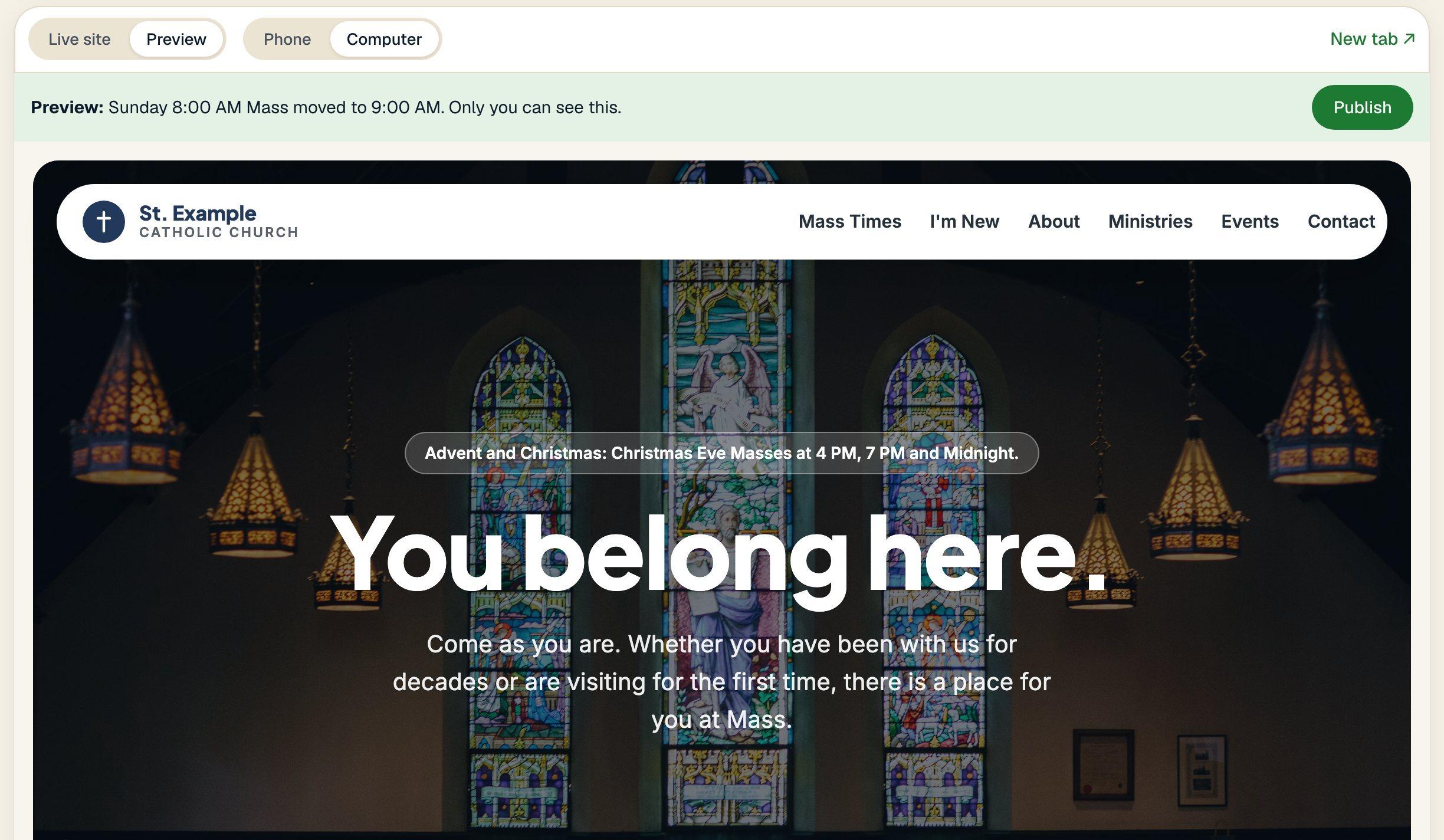
Every change, previewed first.
Nothing goes live until you press Publish. Each change is checked on phones and computers first, and anything that touches giving or forms is locked.

Built for the people who keep things running.
The parish secretary, the volunteer, the pastor who does it all. Click Create gives them a site that keeps up, without learning anything new.
Everything your parish needs.
This is the real screen a parish office uses, shown here with the sample parish.
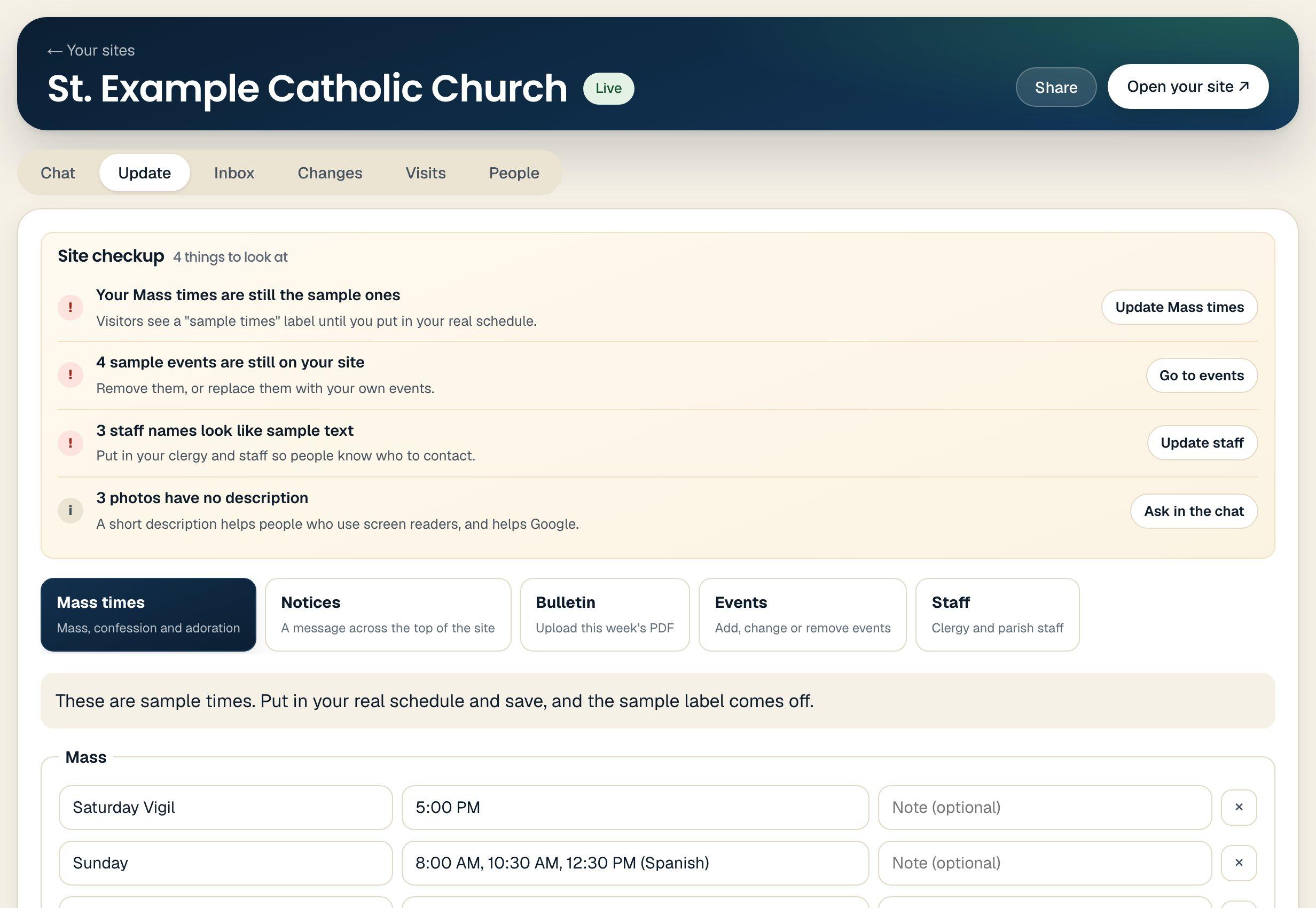
Everything in one place
Chat, messages from your contact form, every past change with an Undo button, visitor counts and the people who help you.
It tells you what needs attention
A short checkup lists what is out of date, like sample Mass times or a missing bulletin.
Prefer a form? Use one.
Mass times, notices, the bulletin, events and staff each have a simple form, if you would rather not type a request.
Change it once
Save a new Mass time and it updates on every page where it appears.
Free to build.
$50 a month per site to publish, or $500 a year.
- No card to start
- No setup fee
- No charge per change
- Cancel any time
Do I need to know anything technical?
No. If you can send a text message, you can build and update your site. You never see code or settings screens.
How long does it take to get a site?
Your first draft appears in minutes. You can publish the same day.
Can we keep our current site's look, or have one designed just for us?
Yes. Paste your current website when you sign up and your details, pages and photos come over. Then keep its look, pick one of our designs, or share sites you like and get a look made for your parish. You can change any of it later by asking.
What if I don't like a change?
Say "undo" or pick an earlier version. Every change is saved, and nothing goes live until you publish it.
Can I use my own web address?
Yes. Every site gets a free yourname.click-create.com address right away, and you can connect a web address you already own. We walk you through it step by step.

Hi, I’m Ben. Glad you’re here.
I’m a parishioner in Hudson, Wisconsin, a member of the Knights of Columbus, and a dad who loves building simple tools. I built Click Create because parish websites go stale when updating them is a chore. Questions come straight to me, not a ticket queue.
Ready when you are.Let's build your site.
It’s free to build and preview, and you don’t need a card to start.